Clay creates duplicate HubSpot records when a row with no HubSpot record ID reaches a Create action without a lookup first. HubSpot dedupes contacts by email, but its own docs say companies created through the API aren't deduped by domain. The fix is a lookup-first write path: find the record, decide update or create, then write.
Most Clay-to-HubSpot guides say the same thing: update on the record ID. That's right for records you pulled out of HubSpot. It says nothing about the rows you sourced in Clay, and those are every outbound list you build.
A lookup-first write path is a Clay table design where every row searches HubSpot for a matching contact (by email) and company (by domain) before any write. A match returns a record ID and triggers an Update. No match triggers a Create. Nothing writes blind.
Why does Clay create duplicate records in HubSpot?
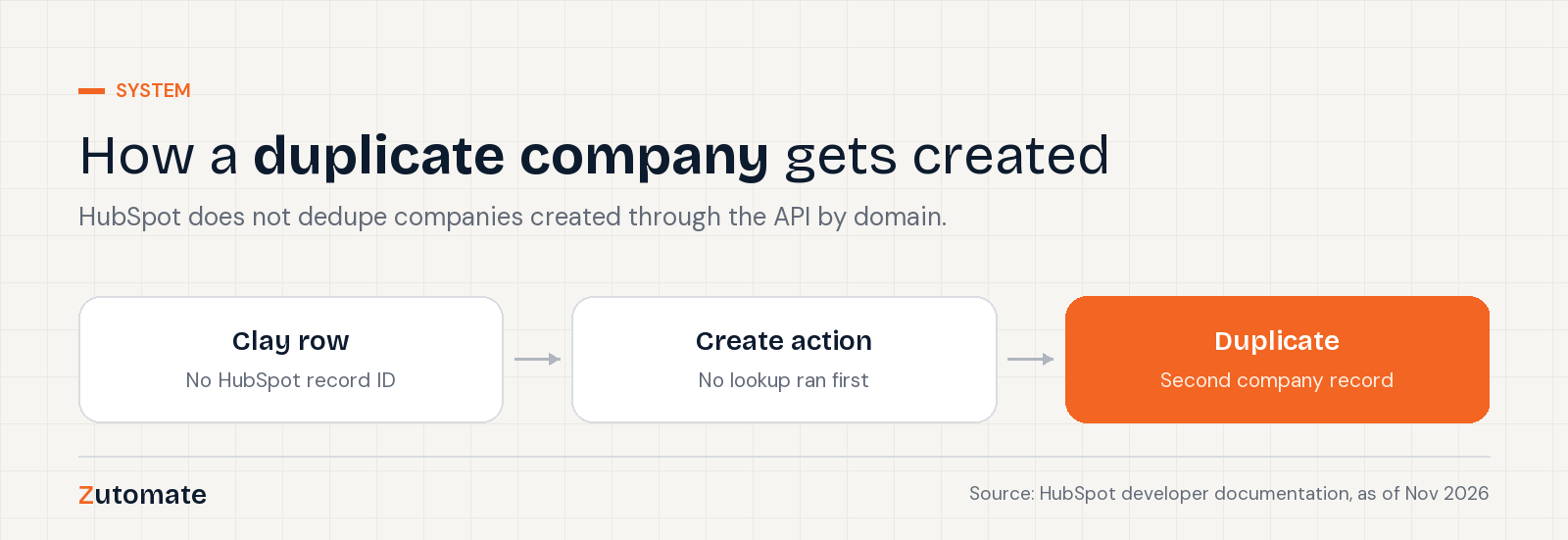
Clay creates duplicates when a Create action runs on a row that never checked HubSpot first, and HubSpot's automatic dedupe doesn't cover every path a record can arrive through.
| Cause | What you see in HubSpot | Fix |
|---|---|---|
| Create runs on a row with no lookup | A second contact or company for a record that already exists | Look up first, then branch on the result |
| Companies created through the API | Same-domain companies stack up because the domain check doesn't run | Look up by domain before every company Create |
| Several new contacts share one new company | One company copy per contact row | Pre-dedupe on the normalized domain, create each company once |
| Same domain typed two ways | https://www.acme.com/ and acme.com read as different values | Normalize before you match |
| Personal and work email for one person | Two contacts for one human | Match on the work email, flag the rest |
Say a Clay table holds 300 contacts across 120 companies, and none of them exist in HubSpot yet. A Create Company column with no check fires 300 times. If the domain check doesn't run, you end up with 300 companies and 180 duplicates before a rep opens a single record.
What does HubSpot dedupe on its own, and where does it stop?
HubSpot automatically dedupes contacts by email address and companies by company domain name, but its documentation says the company check doesn't run on companies created through the API.
That last part matters for Clay. HubSpot's note says it covers third-party sync apps too. We haven't seen Clay's docs spell out which path each Create action takes, so treat this as a risk to test, not a certainty. Clay community members have asked why Create Company made one company per lead from the same company, which fits the pattern.
What HubSpot dedupes natively, as of November 2026 (HubSpot's article was last updated October 2, 2026):
| Object | Dedupe key | Where it applies | Where it stops | Source |
|---|---|---|---|---|
| Contact | Manual creates, form submissions, imports | An import with no email or other unique ID creates a new contact per row | HubSpot Knowledge Base | |
| Company | Primary company domain (primary and secondary on import) | Manual creates, forms that include a domain, imports | Companies created through the API, and imports with no domain | HubSpot Knowledge Base |
| Any object | Record ID | Imports that update existing records | Rows with no Record ID create new records | HubSpot Knowledge Base |
| Any object | Custom unique-value property (up to 10 per object) | Manual edits and imports | Not supported in forms | HubSpot Knowledge Base |
Treat these as reference points, not guarantees. Re-check HubSpot's article before you rely on them, because platform rules change.
How do you build a lookup-first write path in Clay?
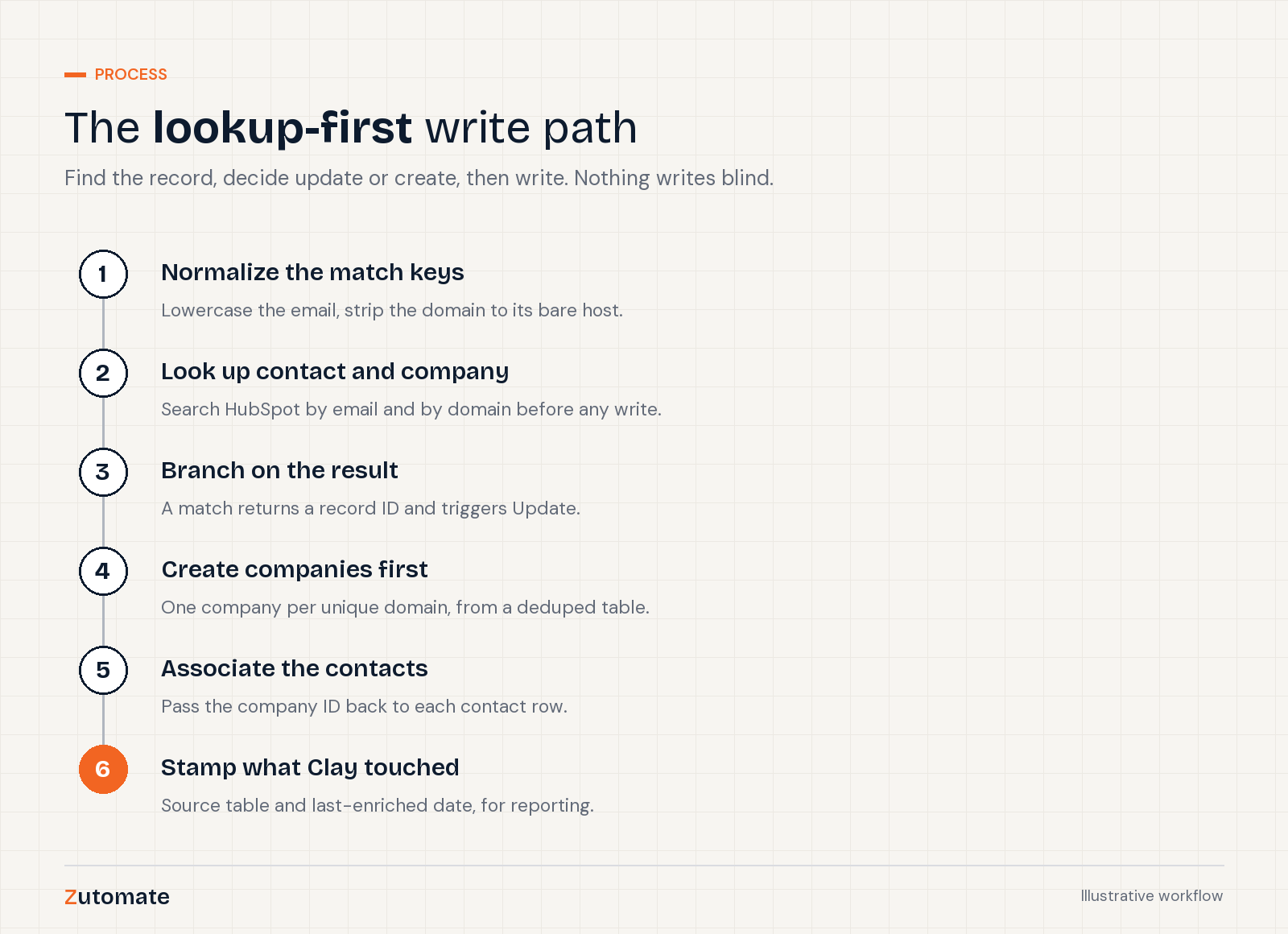
Build it in six steps: normalize the match keys, look up the contact and company, branch on the result, create companies before contacts, associate them, and stamp what Clay touched. We build and hand over this exact path as part of our Clay implementation service.
Step 1: Normalize the keys first
Lowercase and trim the email. Reduce the company domain to its root: no protocol, no www., no path, no trailing slash.
A lookup is only as good as its key. Clay's own Dedupe is exact-match on a single column, so a messy key slips straight through it.
Step 2: Look up the contact and the company
Add Clay's HubSpot lookup actions: contact by email, company by domain. Lookups are read-only, so you can rerun them without touching production. Clay University recommends this check before any Create, and Clay's HubSpot sync guide says the same.
Run them after your email verification step. Why pay for a lookup on an address that's going to bounce?
Step 3: Branch on the result
Use a formula column that checks whether the lookup returned a record ID. An ID means Update, keyed on that ID. No ID means Create. Clay University's HubSpot actions lesson describes the same conditional pattern.
Step 4: Create companies before contacts
A contact needs a company ID to associate with. So companies go first.
If several rows share one new company, don't create it per row. Build a second table of unique normalized domains, create each company there once, then feed the IDs back to the contact rows.
Step 5: Associate, don't duplicate
Use Clay's Create association action to link each contact to its company by ID. Never create a second company just to hang a contact on it.
Step 6: Stamp what Clay touched
Write to a small set of custom properties Clay owns, and turn on Ignore blank values for every write. Otherwise a field Clay couldn't enrich overwrites a good value a rep typed.
The decision table the branch should follow:
| Contact lookup (email) | Company lookup (domain) | What the table does |
|---|---|---|
| Found | Found | Update the contact by ID. Skip company Create. Confirm the association. |
| Not found | Found | Create the contact. Associate it to the found company ID. |
| Found | Not found | Update the contact. Create the company once. Associate. |
| Not found | Not found | Create the company once, create the contact, associate. |
| More than one match | Any | Write nothing. Send the row to a review view. |
| Blank email or blank domain | Any | Skip that Create and flag the row. |
And the field mapping behind it:
| Clay column | HubSpot property | Used as | Write rule |
|---|---|---|---|
| Work email (normalized) | email | Contact match key | Look up first. Write on Create only. |
| Contact record ID from lookup | hs_object_id | Update key | Blank means Create. |
| First name, last name | firstname, lastname | None | Write on Create. Ignore blanks on Update. |
| Job title | jobtitle | None | Update only when Clay's value is verified and non-blank. |
| Company domain (normalized) | domain | Company match key | Look up first. Create only when the lookup is empty. |
| Company name | name | None | Write on Create only. |
| Lifecycle stage | lifecyclestage | None | Set on Create only, so Clay never overwrites a stage reps or workflows set. |
| Clay source table | clay_source_table (custom) | Reporting | Write every time. |
| Clay last enriched | clay_last_enriched (custom) | Debugging | Write every time. |
If you're still deciding which tool owns which job, see Clay vs HubSpot: which jobs go where. Reply handling follows the same rule of looking up before you write: sync cold email replies to HubSpot.
How do you test the build before running the whole table?
Run 10 to 20 rows in a HubSpot sandbox, or against a throwaway test list if you don't have one. Writes to HubSpot are permanent and every user sees them, so the first real run shouldn't be your full database.
| Test row | What it checks | Pass looks like |
|---|---|---|
| Contact already in HubSpot, email in a different case | Normalization and email lookup | Update, no new contact |
| Same contact twice in the table | Same-run duplicates | One contact in HubSpot |
| Three contacts at a company not in HubSpot | Company created once | One new company, three associations |
Company domain typed as https://www.acme.com/ | Domain normalization | Matches the existing acme.com company |
| Company on a subdomain or regional domain | Domain mismatch handling | Row goes to review, not a silent new company |
| Row with a blank domain | Missing-domain handling | No company Create, row flagged |
| Existing contact with a rep-edited title, Clay returns a blank | Ignore blank values | Title unchanged |
The fifth row is the one teams skip. It's also where HubSpot's domain match gets honest about its limits.
Where does the lookup-first path break?
It breaks in five places, and none of them are exotic.
Two rows, one new company, one run. Both rows look up before either has created anything, so both Create. The fix is the pre-deduped company table in Step 4. Clay's own Dedupe is exact-match, so normalize the domain first.
Different domains, same company. HubSpot matches on primary and secondary domain values. An acquired brand on another domain is a new company to HubSpot until someone adds that secondary domain.
No domain at all. A company with no domain can't be matched, so don't create it blind. Flag the row and fix the source.
More than one match. If a lookup returns several records, writing to one is a guess. HubSpot itself rejects import rows when multiple matching records already exist, and your table should refuse too.
Lookup cost. Every row spends Clay Actions for orchestration, and provider results spend Data Credits (per Clay's sync guide, as of June 2026). Scope the lookups to rows that will actually be written.
How do you clean up the duplicates you already have?
Fix the write path first, then clean. Otherwise you're bailing a boat that's still taking on water.
HubSpot's duplicate management tool handles manual review, and HubSpot's docs say individual duplicate management needs a Professional or Enterprise subscription.
The clay_source_table property from Step 6 pays off here. Report new duplicates by source table, then fix the two worst offenders first. For near-matches that exact tools miss, such as j.smith@acme.com versus john.smith@acme.com, Clay's duplicate contacts guide covers fuzzy matching with an AI similarity score.
Key Takeaways
- Clay creates duplicate HubSpot records when a Create action runs on a row that never looked up the record in HubSpot first.
- HubSpot dedupes contacts by email and companies by domain, but its documentation says companies created through the API are not deduped by domain.
- A lookup-first write path searches HubSpot by email and domain, then updates on a match and creates only when nothing is found.
- Create each new company once from a table of unique normalized domains, then associate contacts to it by ID.
- Test 10 to 20 rows in a sandbox before the full run, including subdomains, blank domains and repeated contacts.
Frequently Asked Questions
Why does Clay create duplicate contacts in HubSpot?
Clay creates duplicate contacts when a Create action runs without checking HubSpot first, or when the email differs slightly between sources. Look up by a normalized work email before every Create, and Update by record ID on a match.
Does HubSpot dedupe companies created through the API?
According to HubSpot's documentation, no. Companies created through the API aren't deduped by company domain name, and that includes third-party sync apps. Look up the domain yourself before creating a company, and test your own setup.
Should I match on email or record ID?
Use the record ID whenever you have one, because it lands on the exact record. For net-new rows you won't have one, so look up by email for contacts and domain for companies, then carry the returned ID into the write.
How do I stop Clay creating one company per contact?
Normalize the domain, build a table of unique domains, and create each company there once. Then pass the company ID back to the contact rows and associate. A per-row Create Company column is what produces the copies.
How do I merge duplicates that are already in HubSpot?
Use HubSpot's duplicate management tool for manual review, and fix the Clay write path first so new ones stop arriving. Fuzzy near-matches need a normalize-and-compare step before merging.
Want this built and maintained for you? Book your strategy call.