Most HubSpot routing breaks at one rule: nobody is eligible. When the Rotate record to owner action has no eligible user to rotate to, HubSpot assigns no owner at all, and the record sits unowned while everyone assumes the round robin is working.
A HubSpot lead routing audit is a structured check of the workflows, seat assignments, and fallback rules that assign owners to new records. It's built to find leads that go unassigned, get reassigned, or reach the wrong rep. This checklist covers 12 checks, drawn from HubSpot's own documentation (last updated October 26, 2026). Run it when you add a rep, change a territory, or spot records with no owner.
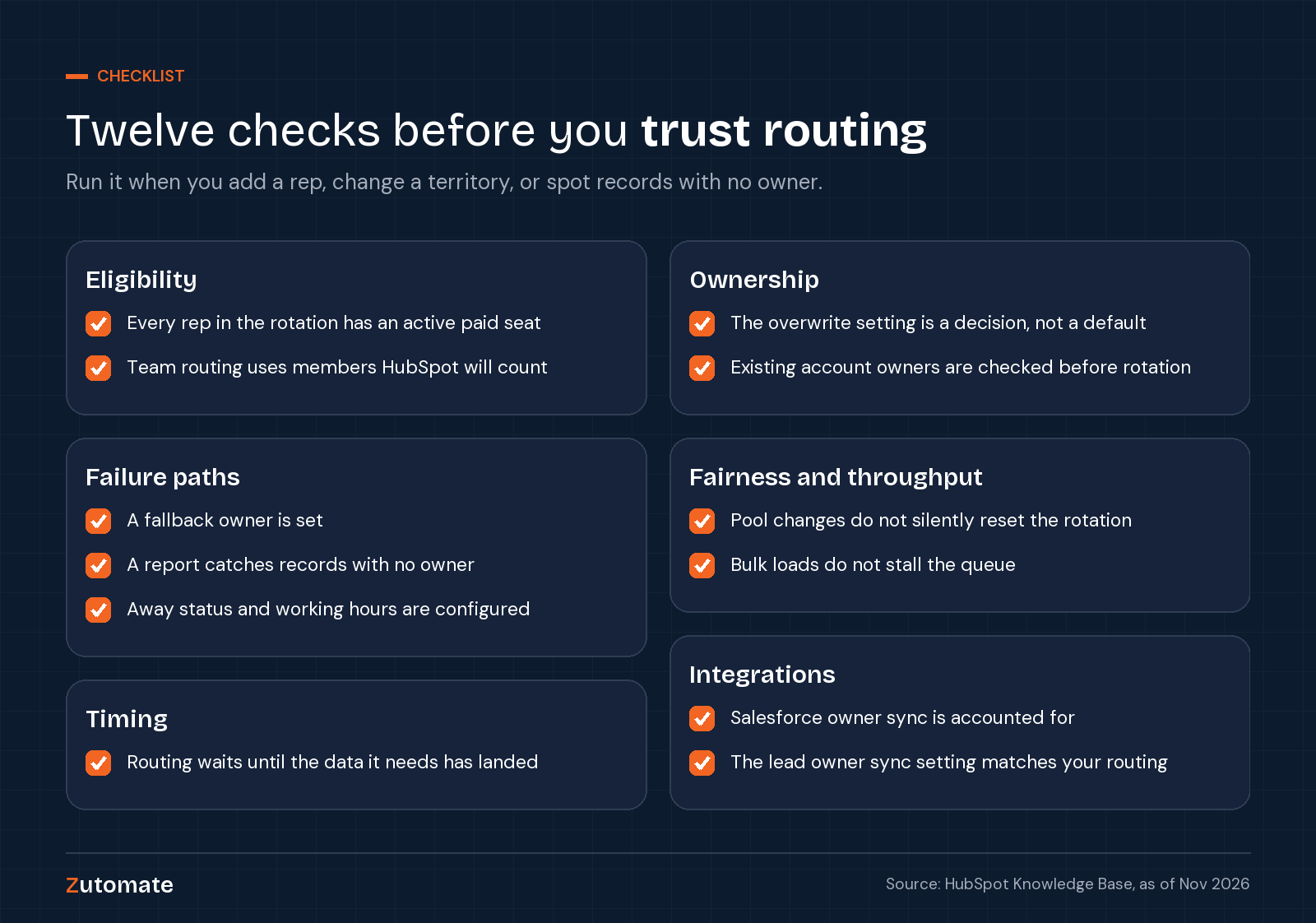
Before you start: what this checklist assumes
The checklist assumes you route with the Rotate record to owner workflow action, which HubSpot lists under Sales Hub and Service Hub Professional and Enterprise. If you assign owners some other way, checks 1 to 9 still apply in spirit, but the specific settings won't match.
Two other things to have open: your routing workflows, and a list of your current reps with their seat types. You'll compare the two in check 1.
The audit at a glance
The 12 checks fall into four areas: who can receive records, who already owns them, what happens when assignment fails, and whether the data exists when the rule runs.
| # | Area | Check |
|---|---|---|
| 1 | Eligibility | Every rep in the rotation has an active paid seat |
| 2 | Eligibility | Team routing uses members HubSpot will actually count |
| 3 | Ownership | The overwrite setting is a decision, not a default |
| 4 | Ownership | Existing account owners are checked before rotation |
| 5 | Failure | A fallback owner is set |
| 6 | Failure | A report catches records with no owner |
| 7 | Failure | Away status and working hours are configured |
| 8 | Fairness | Pool changes don't silently reset the rotation |
| 9 | Throughput | Bulk loads don't stall the queue |
| 10 | Integrations | Salesforce owner sync is accounted for, if you use it |
| 11 | Integrations | The lead owner sync setting matches your routing |
| 12 | Timing | Routing waits until the data it needs has landed |
Area 1: Who can receive records
Routing only works for people HubSpot considers eligible, so start here.
Check 1: Every rep in the rotation has an active paid seat
HubSpot only assigns to users with an active Sales or Service Hub Professional or Enterprise seat. Users with core or view-only seats, or who haven't accepted their invite, are greyed out. Deactivated users and users who lost a paid seat show up in the routing rules with a red border and get skipped.
What good looks like: open each routing workflow and look for red borders. None should appear. Test: compare the rotation list against your current seat assignments after every hire or departure.
Check 2: Team routing uses members HubSpot will actually count
When you route to a team, the team needs at least one user with a paid seat. Only main team members with a paid seat are eligible, and extra team members are ignored unless your account is in a specific beta.
What good looks like: every rep who should get leads is a main team member with a paid seat. Test: list the team's members and flag anyone listed as an extra member.
Area 2: Who already owns the record
A routing rule that ignores existing ownership creates conflicts the moment a second person from the same account fills out a form.
Check 3: The overwrite setting is a decision, not a default
The action includes a setting that decides whether to overwrite an existing owner. Leave it unexamined and you'll either overwrite owners you meant to keep or skip records you meant to reassign.
What good looks like: you can say, for each workflow, whether it should overwrite and why. Test: run a record that already has an owner through the workflow and confirm the result matches your intent.
Check 4: Existing account owners are checked before rotation
For leads, HubSpot offers a Contact owner option that assigns a record to the contact's existing owner. That option requires the contact to have an owner and to be tracked with a cookie. If either is missing, the assignment fails over to your fallback.
What good looks like: records tied to a company with an owner go to that owner first, and rotation only handles the rest. Test: submit a form from a new contact at a company that already has an owner and check who receives it.
Area 3: What happens when assignment fails
Failure is the normal case you haven't tested yet.
Check 5: A fallback owner is set
HubSpot says that when there's no contact owner or the assignment fails, the fallback option is used, and it strongly recommends adding a user for the fallback to prevent unassigned tasks and unaddressed notifications.
What good looks like: every routing workflow names a fallback user who actually reads their queue. Test: break the rule on purpose with a test record and watch where it lands.
Check 6: A report catches records with no owner
When no eligible user exists, no owner gets assigned. Don't count on an alert for that case, so build your own net.
Build a list or report of new records where the owner is unknown and the create date is older than your response target. Then add a workflow that enrolls those records, assigns them to the fallback user, and notifies a manager.
What good looks like: the list is empty on a normal day, and it alerts someone when it isn't.
Check 7: Away status and working hours are configured
The Assign to available users only option skips anyone set to Away. If everyone in the pool is away, the owner is set to unassigned. That's correct behavior, but only if working hours and away status reflect reality.
What good looks like: working hours are set for every rep, and your fallback covers the all-away case. Test: set a test user to Away and route a record.
Area 4: Fairness, throughput, and timing
These are the quieter failures. Records do get owners, but not the right ones, or not fast enough.
Check 8: Pool changes don't silently reset the rotation
If you add or remove owners after the workflow is on, HubSpot resets the assignment counts for that action. New records then rotate evenly across the selected owners regardless of what earlier records received.
That's fine on a quiet day, but a round robin that restarts is unfair to a rep who was behind in the count. What good looks like: pool changes happen on purpose, at a known time, and you've accepted that the count restarts.
Check 9: Bulk loads don't stall the queue
HubSpot only lets one object rotate at a time. If several records hit the action together, one goes through while the others retry, which can slow them down.
Picture a list import of a few thousand contacts into a workflow that rotates owners. Records at the back of that line wait. What good looks like: you know how long a bulk load takes to clear, and you don't push time-sensitive inbound leads through the same workflow as a large import.
Check 10: Salesforce owner sync is accounted for, if you use it
If the HubSpot owner property syncs to Salesforce, HubSpot warns that the action may not work as expected, because Salesforce can try to push the previous owner back after HubSpot clears ownership.
What good looks like: you either don't sync owner both ways, or you've tested a rotation end to end with the sync on. Skip this check if you don't use Salesforce.
Check 11: The lead owner sync setting matches your routing
When you assign leads with this action, HubSpot requires you to turn off the setting that syncs the lead owner with the contact or company owner. Leave it on and your two ownership systems fight.
What good looks like: the setting is off wherever lead assignment is in use. HubSpot labels some lead and deal distribution options as beta in the same doc, so confirm they're available in your account.
Check 12: Routing waits until the data it needs has landed
A rule that branches on company size or industry can't work if those fields are still blank when it fires. If enrichment or company association happens a moment after the form submission, the record routes on missing data.
A HubSpot Community post suggests adding a short delay at the start of rotation workflows so ownership syncs finish first. The right delay depends on your enrichment tools, so measure how long your fields take to fill and set the delay above that.
What good looks like: you know your enrichment lag in minutes, and your delay is longer than it. If Clay or another tool writes to those fields, give it the same scrutiny we describe in Clay vs HubSpot: which jobs go where. In that setup, Clay never writes hubspot_owner_id.
Platform rules to check against (as of October 2026)
| Rule | What HubSpot says | Source |
|---|---|---|
| Subscription | Sales Hub or Service Hub Professional or Enterprise for the Rotate record to owner action | HubSpot Knowledge Base |
| Eligible users | Active, with a paid Sales or Service Hub seat | HubSpot Knowledge Base |
| No eligible user | No owner is assigned | HubSpot Knowledge Base |
| Rotation changes | Adding or removing owners resets assignment counts | HubSpot Knowledge Base |
| Concurrency | One object rotates at a time, the rest retry | HubSpot Knowledge Base |
| Fallback | Used when there's no contact owner or assignment fails | HubSpot Knowledge Base |
Source: HubSpot Knowledge Base, "Assign and rotate record owners using workflows", last updated October 26, 2026. Plans and rules change, so recheck before you rely on any row.
The three failures most likely to cost you leads
Based on how the rules above work, three failures do the most damage because they're silent.
Nobody is eligible. A rep leaves, a seat gets removed, and the pool shrinks or empties. Records stop getting owners. Checks 1, 5, and 6 catch this.
The wrong rule wins. A workflow overwrites an owner who already had the account, or a sync pushes the old owner back. Checks 3, 4, and 10 catch this.
The rule runs before the data exists. Records route on blank fields. Check 12 catches this.
How to run the audit
Run the full audit quarterly, and run checks 1, 5, 6, and 7 every time the team changes. A short routine works better than a big one.
- Export your routing workflows and your user list with seat types.
- Walk checks 1 to 12 in order and mark each pass, fail, or not applicable.
- Create three test records: one at a company with an existing owner, one at a company with none, and one while a test user is set to Away.
- Confirm each lands where you expect, and note the time it took.
- Fix failures, then rerun the test records.
Set your response target before you start. The audit can tell you where records went. Only you can say whether they got there fast enough.
Key Takeaways
- A HubSpot lead routing audit checks who can receive records, who already owns them, what happens when assignment fails, and whether the data exists when the rule runs.
- When no eligible user exists, HubSpot's Rotate record to owner action assigns no owner, so you need your own report for records with no owner.
- Adding or removing owners after a routing workflow is live resets the assignment counts for that action.
- HubSpot rotates one object at a time, so large imports can slow down time-sensitive routing.
- Set a fallback owner on every routing workflow, and test it by breaking the rule on purpose.
Frequently Asked Questions
Why are my HubSpot leads not being assigned?
The most common cause is that no eligible user exists for the rotation. HubSpot only assigns to active users with a paid Sales or Service Hub Professional or Enterprise seat, and it assigns no owner when none qualify. Check seats, team membership, and Away status first.
Does HubSpot support round-robin lead routing?
Yes. The Rotate record to owner workflow action runs a round robin, distributing records evenly across selected users or a team. For leads, deals, and tickets, HubSpot also lists load balanced and random options, and some of those options are labeled beta.
What happens if HubSpot can't find an owner?
It depends on the option. With the Contact owner option, HubSpot uses the fallback you set. If no eligible user exists to rotate to, no owner is assigned. That's why a fallback user and an unowned-records report both matter.
How often should I audit HubSpot lead routing?
Quarterly for the full 12 checks, and again whenever you add or remove a rep, change a team, or change a territory. Check seats, fallback, and the unowned-records list every time the team changes.
Do I need a separate lead routing tool?
Not always. Native workflows cover rotation, fallback, and availability. Teams with weighted distribution, capacity-based routing, or complex account matching often add a dedicated tool. Run the audit first, because many routing problems are configuration, not capability.
If more than a few of these checks failed, start a conversation and we'll walk through your setup.