Lifecycle stage tells you where a record sits in the whole journey, from subscriber to customer. Lead status tells you what sales is doing with it right now. They answer different questions, so an outbound team needs both, plus clear rules for which event changes which property.
Picture this. Someone loads 400 prospects from Clay and tags them all as MQLs, because that was the quickest way to get them in front of sales. By Monday the MQL report has doubled, so nobody trusts it.
What's the difference between lifecycle stage and lead status in HubSpot?
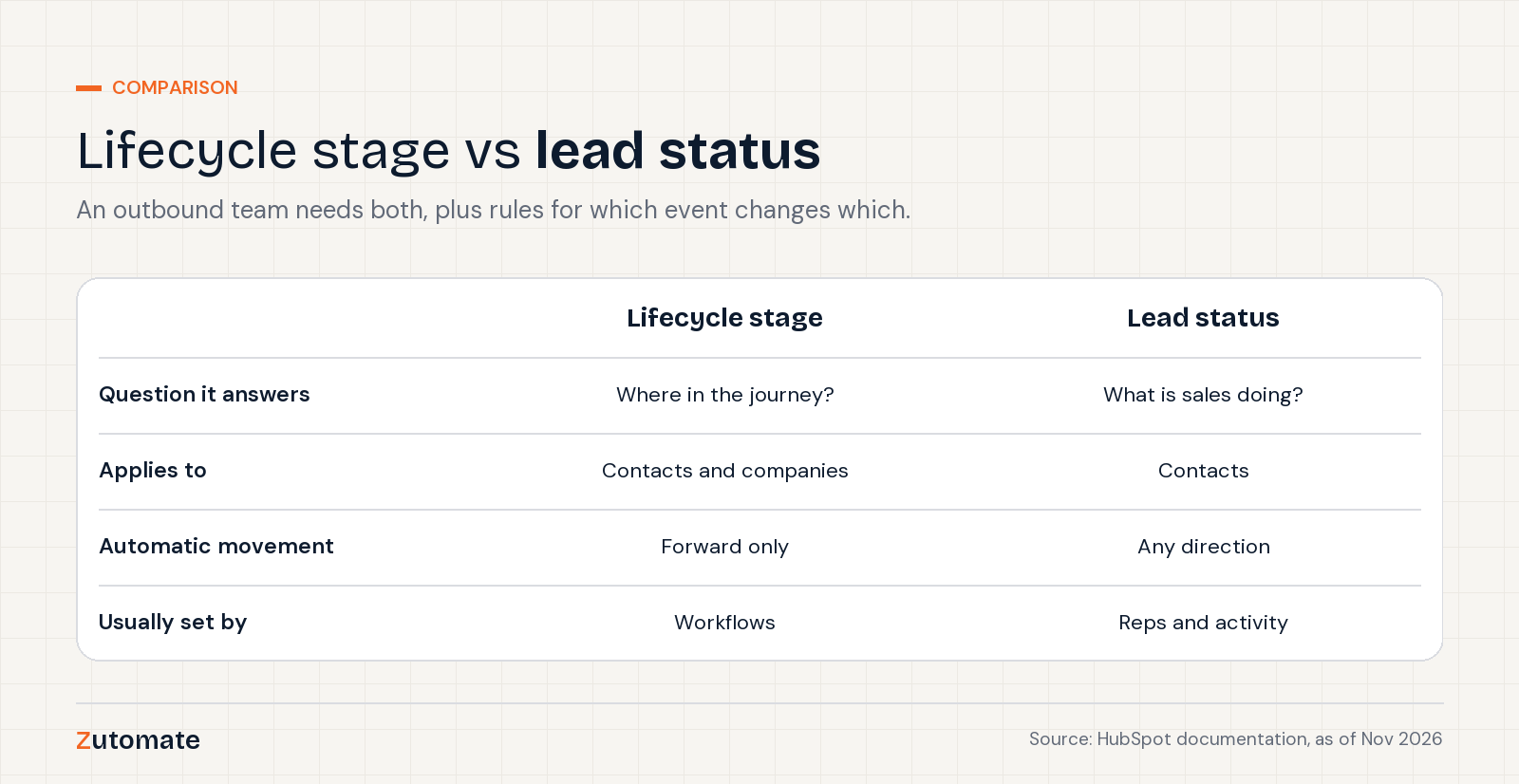
Lifecycle stage is a property that places a contact or company in the overall buying journey, while lead status is a contact property that tracks sales follow-up during the lead stages. HubSpot's lifecycle options are broad milestones. Lead status is the working detail inside them.
| Lifecycle stage | Lead status | |
|---|---|---|
| Question it answers | Where is this record in the journey? | What is sales doing with it? |
| Property | lifecyclestage | hs_lead_status |
| Applies to | Contacts and companies | Contacts |
| Default values | Subscriber, Lead, Marketing Qualified Lead, Sales Qualified Lead, Opportunity, Customer, Evangelist, Other | New, Open, In Progress, Open Deal, Unqualified, Attempted to Contact, Connected, Bad Timing |
| Customizable | Yes, per HubSpot | Yes |
| Automatic movement | Forward only | Any direction |
| Who usually sets it | Workflows, associations, handoff rules | Reps and activity-based workflows |
Both lists above come from HubSpot's documentation as of November 2026. Some third-party guides say lifecycle stage values can't be changed. HubSpot's own documentation says you can customize them, so check your portal before you rely on either claim.
Where do deal stage and the Leads object fit?
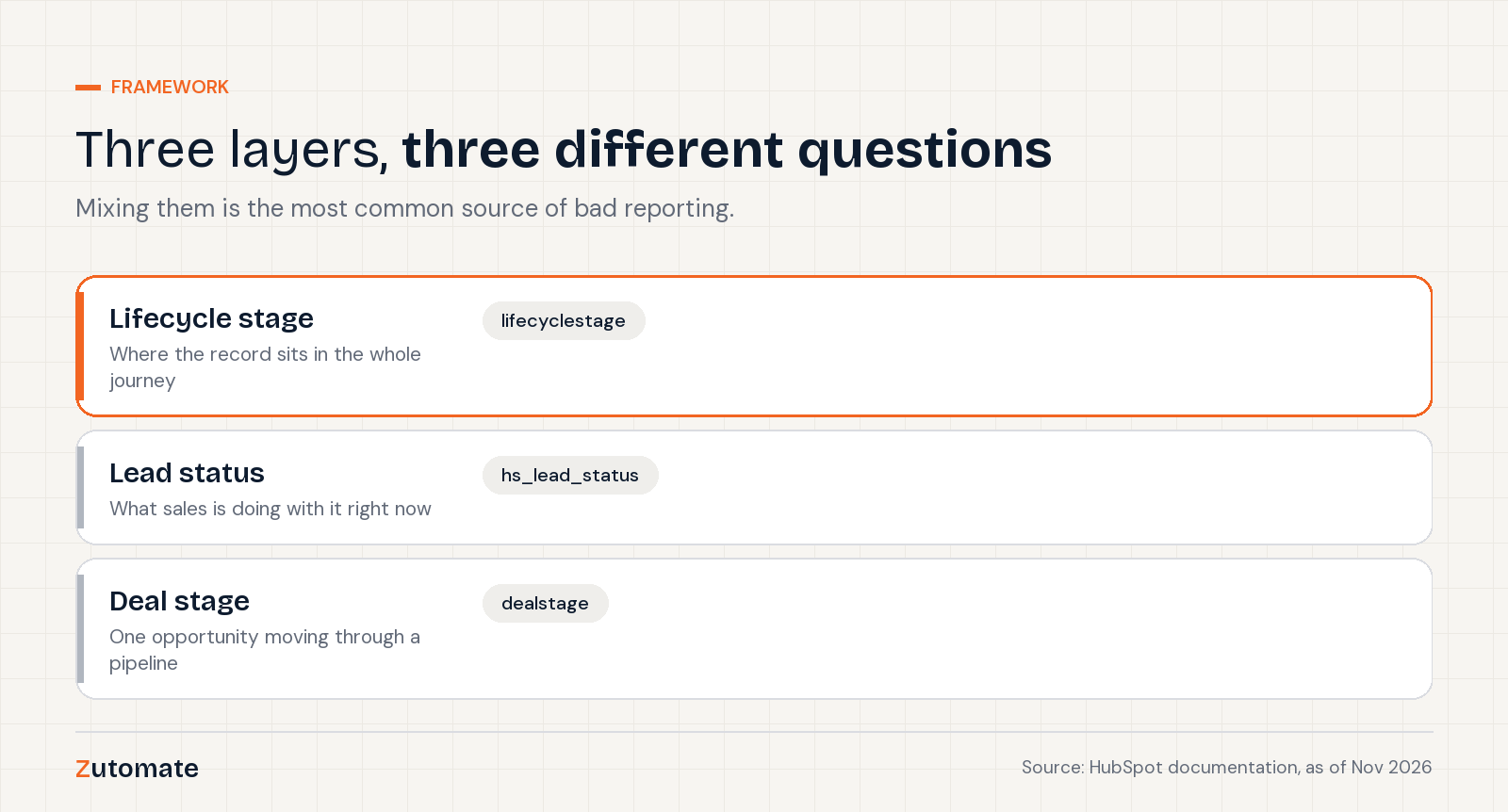
Deal stage tracks one opportunity through a sales pipeline, and the Leads object tracks one prospecting effort before a deal exists. That makes three layers, and mixing them is the most common source of bad reporting.
| Layer | Lives on | Tracks | Ends when |
|---|---|---|---|
| Lifecycle stage | Contact or company | The whole relationship | Customer or Evangelist |
| Lead status (or lead stage) | Contact (status) or lead record (stage) | Prospecting work | Qualified or disqualified |
| Deal stage | Deal | One sales opportunity | Closed won or lost |
The Leads object is the newer layer. A lead record can't exist alone, since it needs an associated contact or company. It requires Sales Hub Professional or Enterprise, and it runs its own pipeline. HubSpot's lead pipeline automation moves a lead to Attempting when a rep sends or logs an email or call, and to Connected when the lead replies, a meeting is completed, or a call is logged as connected.
HubSpot's pages don't spell out how the lead record's stage relates to the older hs_lead_status property. Don't assume they stay in sync, so pick one as your working record and treat the other as secondary.
A practitioner thread on the HubSpot Community raised an outbound problem worth knowing about: sequence activity attaches to the contact, not the lead, so lead stages may not advance on their own. The advice there was to create leads before enrolling contacts, using a workflow.
What should outbound prospects start as?
Cold prospects should start at the Lead lifecycle stage with a lead_origin property set to Outbound, and they should skip MQL. MQL means marketing qualified the record. A prospect who came from a Clay list hasn't been through marketing, so marking them MQL pollutes every marketing report.
This is our convention, not a HubSpot rule. HubSpot defines Lead as a record that converted on your site or through another interaction beyond a subscription. Outbound prospects haven't, so the origin property carries the truth that the stage can't.
Here's the damage in numbers. These are hypothetical. Say marketing normally produces 100 MQLs a month and 25 become SQLs, a 25% rate. Load 400 cold prospects as MQLs, and say 10 of them reply and get accepted. You now show 500 MQLs and 35 SQLs. The conversion rate reads 7%, though nothing changed in marketing.
Which event should change which property?
Each event should change one property, and each property should have one owner. This is the mapping we'd start from:
| Event | lifecyclestage | hs_lead_status | Also |
|---|---|---|---|
| Prospect written from Clay | Lead (new records only) | New | lead_origin = Outbound |
| First sequence email sent | No change | Attempted to Contact | |
| Any reply | No change | Connected | Task for the owner |
| Rep accepts after a positive reply or held meeting | Sales Qualified Lead | In Progress | |
| Deal created | Opportunity | Open Deal | Association or workflow |
| Closed won | Customer | Leave as is | |
| "Not now" reply | No change | Bad Timing | 90-day nurture and a task |
| Wrong person or no fit | No change | Unqualified | unqualified_reason |
Keep the lead status list short, because seven values is plenty. We drop "Open" from the defaults because it overlaps with In Progress. Add a "Do Not Contact" value only if you also unsubscribe the contact, since a label alone doesn't stop an email.
The one rule that saves the most time: reps change lead status, and workflows change lifecycle stage. When both are free-for-all, definitions drift. One rep marks Connected after an email, another only after a call, and your conversion numbers stop meaning anything.
How do you set it up in HubSpot?
You set it up in five steps: define, trim, tag, automate, and report. The order matters, because workflows built on fuzzy definitions only automate the confusion.
Step 1: Write one sentence per value
For every lifecycle stage and lead status you use, write the entry condition and the exit condition. Then get sales and marketing to sign off before touching a workflow.
Step 2: Trim and extend lead status
Next, cut lead status to the values in the table above. Add an unqualified_reason dropdown so every Unqualified record has a reason. Without it, you lose the data that shows whether your list or your messaging is the problem, which is the first thing you'll want to know.
Step 3: Tag the source
Create lead_origin with values such as Outbound, Inbound, Referral, and Partner. Use it as a filter on every funnel report, because it keeps MQL counts honest.
Step 4: Build four workflows
- Activity to status. When the first sequence email goes out, set the status to Attempted to Contact.
- Reply to status. When a reply arrives, set Connected and create a task for the owner.
- Deal to stage. When a deal is created, set Open Deal and let the association move the lifecycle stage.
- Stale record alert. When a contact has sat at Sales Qualified Lead with no update for a set number of days, create a task for the owner.
For the stale alert, HubSpot's documentation notes that workflows based on time in stage may not include records already sitting in that stage. Add a "lifecycle stage not updated in the last [x] days" condition to catch them.
Step 5: Report on the right things
Report on MQL-to-SQL conversion filtered by lead_origin, time in each stage, and lead status counts with their age. A pile of "Attempted to Contact" records older than 30 days is a to-do list, not a metric.
Where does the setup break?
It breaks in five places, and most of them are about direction and ownership.
Lifecycle stage only moves forward automatically. HubSpot's documentation says default automatic updates only move the stage forward. To move a record back, such as a lost prospect returning, clear the value first and then set the earlier one, using two actions in sequence. The set-property workflow action is limited to Professional and Enterprise. HubSpot has marked a native fix as not currently planned in a Community thread, as of September 2026.
Imports and Clay writes can set the wrong stage. Only write lifecyclestage when you create a new record. After that, let HubSpot's rules move it. If your enrichment step also writes stage, a re-run can skip a record past a stage it never earned. Our Clay-to-HubSpot enrichment workflow covers the write rules in more detail.
Lead status gets overloaded. Practitioners recommend keeping it pre-sale only, so post-sale reorders and upsells belong on deals, with a deal type property, and not on the contact's lead status.
The Leads object and sequences don't always line up. See the community report above. If your team uses sequences heavily, test one record end to end before you roll it out.
Ownership gaps hide everything else. A record with a perfect status and no owner goes nowhere. Run our HubSpot lead routing audit checklist alongside this setup.
What does HubSpot say, and as of when?
| Rule | What HubSpot says | Source |
|---|---|---|
| Default lifecycle stages | Subscriber, Lead, MQL, SQL, Opportunity, Customer, Evangelist, Other | HubSpot Knowledge Base |
| Automatic movement | Default automatic updates only move the stage forward | Same page |
| Moving backward | Clear the value, then set the earlier stage | Same page |
| Workflow set-property action | Professional and Enterprise only | Same page |
| Time-in-stage properties | Latest and cumulative time need Professional or Enterprise | Same page |
| Lead records | Need a contact or company, and Sales Hub Professional or Enterprise | Create leads |
| Lead pipeline automation | Moves leads to Attempting or Connected from logged activity, replies, and completed meetings | Lead pipeline automation |
Re-check this table before you publish. HubSpot changes plan features often.
Key Takeaways
- Lifecycle stage shows where a record sits in the full journey, while lead status shows what sales is doing with it now.
- HubSpot's automatic lifecycle updates only move forward, so moving a record back needs a clear-then-set workflow on Professional or Enterprise.
- Outbound prospects should start at the Lead stage with a
lead_originof Outbound, and skip MQL so marketing reports stay accurate. - Let reps set lead status and let workflows set lifecycle stage, so each property has exactly one owner.
- Deal stage, lead stage, and lifecycle stage are three separate layers, and stage names should never be reused across them.
Frequently Asked Questions
What is the difference between lifecycle stage and lead status in HubSpot?
Lifecycle stage places a record in the overall journey, from subscriber to customer. Lead status records what sales is doing with a prospect, such as attempting contact or connected. Use lifecycle for funnel reporting and lead status for follow-up work.
Can a HubSpot lifecycle stage go backward?
Not automatically. Default automatic updates only move the stage forward. You can move a record back manually, or through a workflow that first clears the value and then sets the earlier stage.
What are the default HubSpot lead status values?
The defaults are New, Open, In Progress, Open Deal, Unqualified, Attempted to Contact, Connected, and Bad Timing. You can customize them to match your process.
Should I use the Leads object or lead status?
Use the Leads object if you have SDRs, multiple prospecting attempts per contact, or deals created too early, and you have Sales Hub Professional or Enterprise. Stick with lead status for simple single-touch sales. Either way, use one as your working record.
What lifecycle stage should cold outbound prospects have?
We start them at Lead with a lead_origin of Outbound, and skip MQL. HubSpot defines Lead as a record that converted beyond a subscription, so this is a convention, not a rule. The origin property is what keeps your reports clean.
Want this built and maintained for you? Book your strategy call and we'll audit your lifecycle and lead status setup against your outbound motion.